
You know your Shopify dashboard is giving you real numbers. These are real figures, real customers, and actual money your business is making.
But your ad platforms tell a different story. They say you should have more conversions and more purchases coming through.
Your Shopify dashboard tells you you’ve made $47,000 this month.
- Google Ads claims they converted $35,000.
- Meta Ads claims $39,000.
- TikTok also claims another $23,000.
When you add up your ad platform data, it seems you should have $97,000 in revenue that month, but you know you only made $47,000.
So what is going on?
The problem isn’t your or your Shopify dashboard. It’s your dependence on ad platforms for data that they can’t give.
In this use case, we tell you why this happens. We explain why the only way to match up your Shopify revenue with your ad platforms is to use an independent, third-party attribution tracking tool. And we show you how to use RedTrack to finally get the numbers you need to run and manage your ads effectively.
Challenge: Your Shopify Revenue Doesn’t Align With Meta or Google Ads
There are three main reasons why your Shopify revenue doesn’t align with the reporting in Meta, Google, and TikTok.
1. Ad Platforms Can’t Pick Up Every Conversion
First of all, ad platforms can’t actually pick up every conversion because most of them work on browser-based pixel tracking.
This means they only see and pick up conversions that users allow them to track. So if a user has any privacy restrictions active while clicking ads and buying products, they will be non-existent in your ad platform reports.
Users who have any of the following privacy settings will not be tracked:
- iOS privacy restrictions
- Ad blockers
- Cookie rejection
- Incognito browsing
- GDPR consent banners
Your Shopify will register their purchases, but you won’t see them anywhere in your native ad platform dashboards. This leaves a significant portion of your purchases untraceable and invisible.
2. Multiple Platforms Claim the Same Conversion
Next up is the issue of attribution overlap. Each ad platform applies a different attribution logic, with different conversion definitions and attribution windows.
A real customer journey might look like this:
- The user sees a TikTok ad today, but doesn’t click on it
- Two days later, they see a Meta ad
- Three days after that, they click on a Google ad and buy the product
Because of the attribution rules that each of these platforms uses, all three platforms will claim this one purchase as their own.
So you have 1 purchase in your Shopify dashboard, but it’s counted as 3 separate conversions across your native ad platform reports.
And that’s why you get an inflated revenue when you add up your ad platform data, which can’t be reconciled with your Shopify figures.
3. Revenue & Spend Sit on Different Systems
The final reason why you can’t match your numbers up is that none of your data lives in one system where revenue and spend can be reconciled.
- Shopify tracks and stores your actual revenue
- Meta Ads tracks and stores your Meta ad spend
- Google Ads tracks and stores your Google ad spend
- TikTok tracks and stores your TikTok ad spend
None of these integrates to make sense of those numbers. You simply don’t have a data layer that can automatically connect your Shopify revenue to real ad spend across all your traffic sources, using a consistent attribution logic.
To overcome this problem, many performance marketers and e-commerce businesses turn to manual reconciliation. But this brings a whole other lot of challenges, including:
- Too much time to rebuild spreadsheets
- By the time you align everything, your optimization windows have closed
- You’ve already scaled campaigns that weren’t working, and paused the ones that were
So, without a unified reporting dashboard,d you’re resigned to using guesses and gut feel to make optimization decisions on time.
What This Misalignment is Costing You
Because you’re working with fragmented data that doesn’t make sense, you make budget allocation decisions that won’t deliver results.
Let’s say you ran a Meta campaign which shows 6x ROAS in Meta Ads. This seems like an obvious winner, so it makes perfect sense to scale that campaign, right? Not quite.
That ROAS has been calculated using Meta-attributed-revenue. But because of the attrition overlap which you know exists, chances are that 6x figure is actually inflated. When you clean and realign your attribution reports, you might actually find that ROAS for that campaign was actually more like 3x.
So if you scale that campaign, you end up scaling ads that don’t perform as well in reality, and that money may have delivered more elsewhere.
Solution: Reliable Attribution With One Reconciled Revenue & ROAS Dashboard
To overcome the issue of fragmented data and get your hands on true attribution and conversion numbers that can actually be matched up with your Shopify revenue, you need to turn to an independent reporting system.
This means moving away from platform native reporting and on to third-party ad tracking tool that can:
- Pickup every ad interaction across all your platforms accurately thanks to server-side tracking (S2S)
- Apply one consistent attribution model so you don’t get duplicated conversions
- Match up real conversions with actual Shopify purchases
- Automatically gather ad platform spend
- Reconcile ad platform data with Shopify revenue figures
- Feed accurate revenue signals back to ad platforms for better optimization
This sounds like a lot, but these are all the things a tool like RedTrack can do and deliver. Because RedTrack is designed to be a neutral reporting layer that sits above your Shopify and ad platforms, it helps online businesses make better ad campaign management and budget decisions.
How RedTrack Lets You Set Up A Proper Revenue & ROAS Dashboard
RedTrack offers three key advantages that let the system give you a centralized and accurate dashboard for all the ad campaigns you can depend on.
- Server-to-server tracking (S2S) – Instead of relying on pixels and browsers, which can be interrupted by privacy restrictions, RedTrack tracks conversions directly between servers, which means you get a more complete attribution data across devices and sessions.
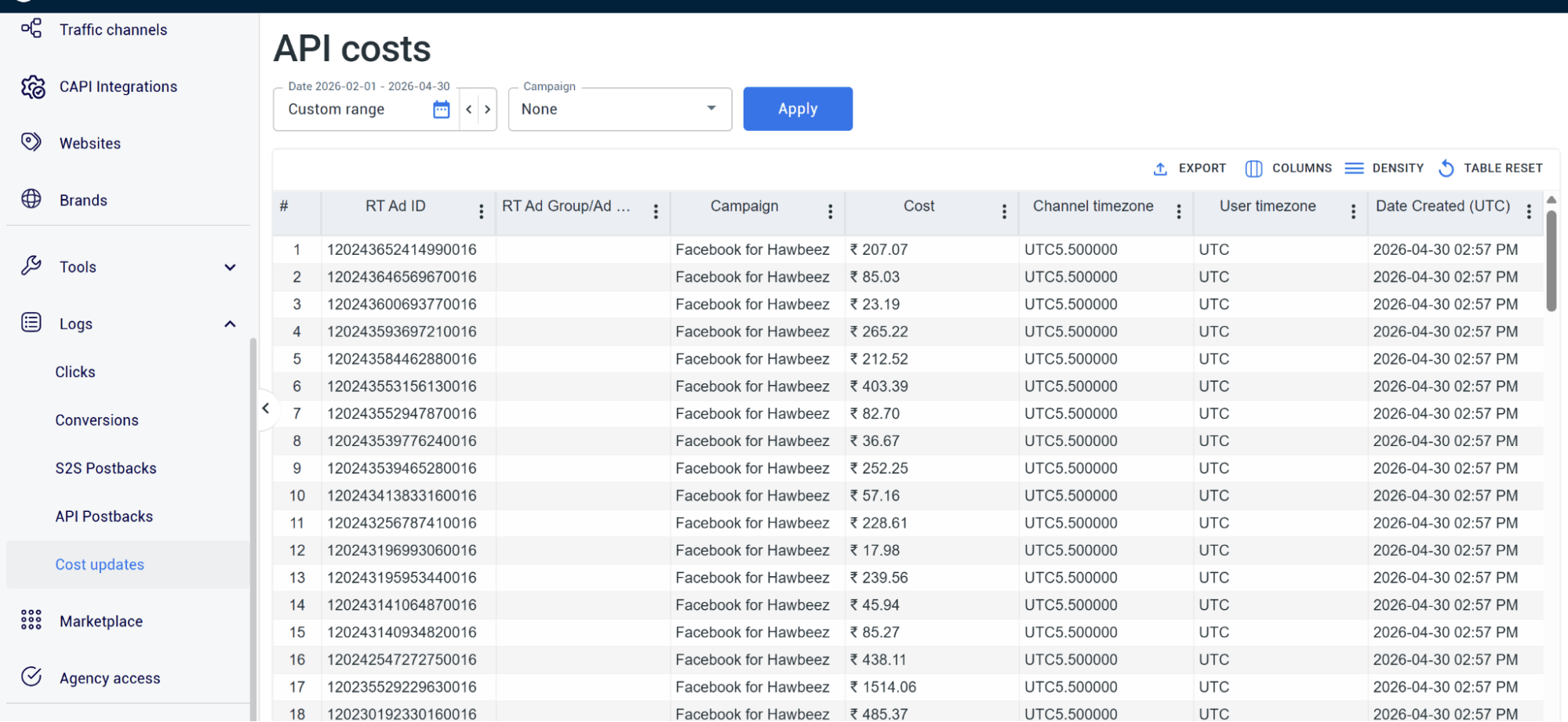
- Cost auto-sync – This feature automatically pulls all your ad spend data across channels and connects them to RedTrack. Once there, it updates costs continuously and aligns spend with clicks, conversions, and revenue in one dashboard.
- Conversion API (CAPI) integrations – When you connect your ad platform channels via CAPI integrations in RedTrack, you make sure every channel gets accurate conversion data fed back to the platforms for better algorithm learning and optimization.
When these three things start to work in combination, you can finally get your hands on proper revenue and ROAS figures you can trust.
But to do that, you need to get the foundations in order, and this involves setting up three things:
- S2S tracking
- CAPI integrations for all your ad platforms
- Attribution modelling for campaigns
Below are the steps you need to take to set up all three in RedTrack.
Method 1: Set up S2S Tracking to Capture Shopify Orders
- Go to the Website section in RedTrack’s navigation menu
- Add your Shopify store domain
- Install the RedTrack tracking script on your Shopify order status page by:
- Going to your Website form, navigating to Scripts, selecting Shopify, and copying the script
- Then open your Shopify Settings, navigate to Customer Events, and add a custom pixel
- Give the pixel a name (it might be “RedTrack Pixel”)
- Then go to the Customer Privacy section and configure your settings to “Permission not required”
- Paste the RedTrack script into the code window
- Click Save and then Connect on the confirmation pop-up
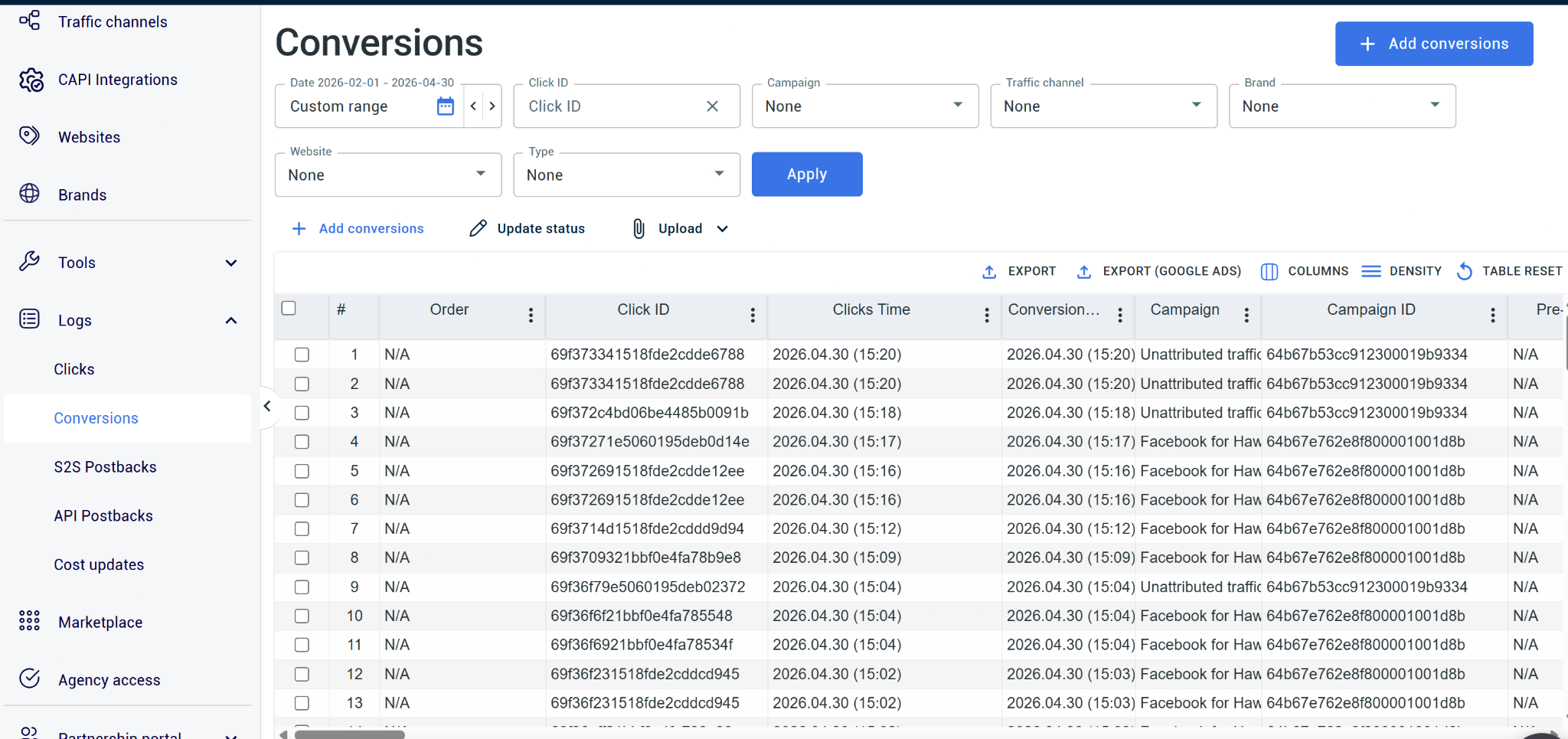
Once that’s done, you need to map your purchase event:
- In RedTrack, go to your Shopify integration mapping settings
- Configure order value, currency and product-level information (like Product ID and Category)
- Connect your traffic sources (Meta, Google, TikTok) by going to Traffic Channels in RedTrack’s navigation
- Run a test purchase to make sure everything appears in RedTrack’s reporting dashboard as it should
Method 2: Set Up CAPI For All Your Ad Platforms
In your RedTrack dashboard, go to Traffic Channels
Click New from template and then select each of the channels (Meta, Google, etc.) you use, one by one
Authenticate the platform connection using the platforms official authorisation flow:
- For Meta, scroll down to the API integration section, paste your Meta Pixel ID and generate a CAPI Access Token inside your Meta Events Manager and paste into RedTrack.
- For Google, click the official Sign in with Google authorization button, give RedTrack permission to access and edit Google Ads conversions, and select your unique Google Ads Customer ID (CID) from the dropdown.
Map your RedTrack conversion events by going to Events Mapping, clicking on the Add row, and entering each of the corresponding platform-side standard event,s such as:
- Map your landing page click to ViewContent
- Map your cart action to AddToCart
- Map your checkout initialization to InitialCheckout
- Map your conversions to Purchase
Enable event deduplication by going to RedTrack settings and toggling to Enable Event Deduplication
Make sure the connection is working properly by running a test to see events appear accurately in your ad platforms
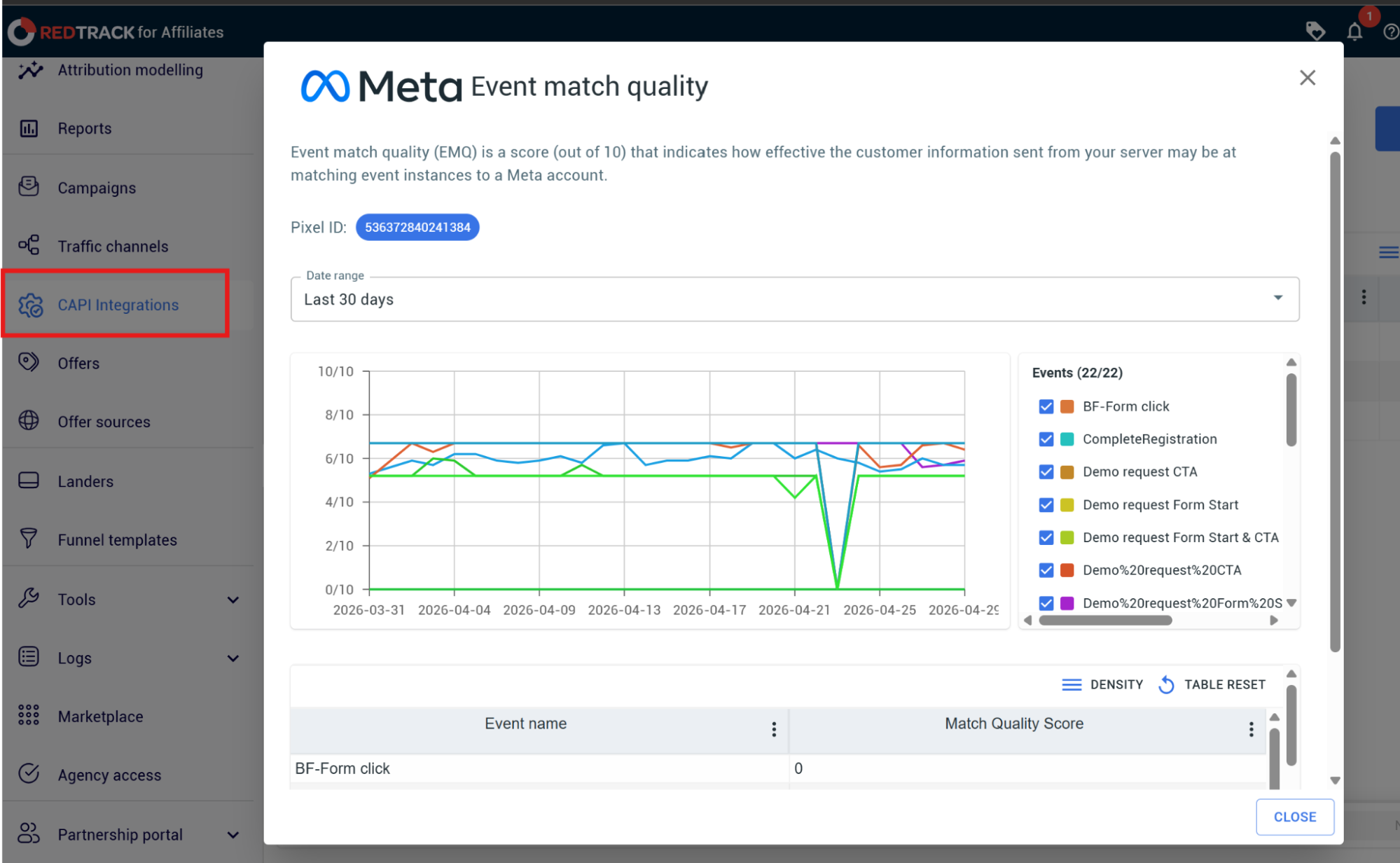
Monitor Event Match Quality in RedTrack over the first 7-14 days by:
- Navigate to your traffic channel report inside the RedTrack dashboard, and look at the server handshake health score
- Cross-reference this number with the corresponding traffic channel
Method 3: Set Up Attribution Modelling Reports
Go to Attribution modeling in RedTrack’s navigation
Select your connected Shopify store domain from the Website dropdown
Go to the Attribution Model dropdown and select the model you want to apply
Add performance metrics by clicking the Columns icon button and checking the metrics you need:
- Revenue
- Cost/Spend
- ROAS
- CPA
- Profit
- Click Apply
Expand your rows by clicking the Group by dropdown and selecting your Traffic Source and then Campaign
Then compare RedTrack’s Real ROAS side-by-side with your platform columns (Meta ROAS, Google ROAS) and look for:
- Over-attributing platforms
- Under-reported platforms
Then optimize your campaigns for incremental revenue
Reconcile Your Shopify Revenue With Meta & Google Ads With RedTrack
If your Shopify dashboard doesn’t equal the conversions you see on your ad platforms, the problem isn’t you or your Shopify report. It’s the approach you’re taking to try to understand data that is inaccurate and incomplete.
When you depend on native ad platforms to give you accurate ROAS, you’re setting your business up for failure because that’s something these systems cannot do. Not because they don’t want to, but because they are not connected to provide a clean, reconciled, and centralized report of all your campaigns across different channels.
The only way to get past this is to sign up for an independent ad tracking tool like RedTrack. What the tool does is give you an independent attribution and reporting layer that sits above and outside your ad platforms, but that connects to their systems.
Instead of relying on fragmented and incomplete ad-platform attribution data, RedTrack picks up every customer journey thanks to its server-side tracking method, and gives you the full sequence of events that took place across each of your ad channels.
It confirms every order that comes through to your Shopify, automatically syncing spend across your ad platforms and reconciling it with your revenue in Shopify. And you get all this info inside one centralized dashboard.
If you want to up your performance marketing game and make ad budget allocation decisions that deliver the results you want long term, you need to partner with a tool like RedTrack.
Book a demo with us to see how the platform can solve your mismatched Shopify and ad platform data problem. And if you’re ready to start today, sign up for RedTrack’s 14-day free trial.


