
When you’re running paid campaigns across a bunch of channels, speed and accuracy are your first priority.
The second, is your data accuracy. If you depending on incomplete or inaccurate data, your whole optimization effort starts to suffer.
That’s where RedTrack saves the day. As a platform designed to track and automate your ad spending across multiple channels, it grabs those clicks and conversions in real time and updates your ad costs on a five-minute cycle (which is ridiculously fast compared to some other competitors on the market).
So instead of waiting around for hours for some partial reports, you get instant clarity on what’s actually going on with your campaigns. In this use case we unpack the challenge of optimizing multi-channel campaigns with traditional ad platforms, and explain how RedTrack takes it up a notch. Giving you super detailed attribution and revenue data, you get a tracking tool that’s more like the brain of your whole ad operation.
Challenge: Optimizing Every Campaign, on Every Platform, Instantly
Whether you’re a performance marketer, a media buyer, or an agency managing client ad campaigns, you know that optimization is everything.
The competition is relentless, and margins are tight.
But the key challenges all these ad gurus face are time and accuracy.
- Algorithms move fast. They don’t sit around waiting for you to say “go”; they operate in real-time, but their learning phases timeframes vary across platforms.
- Algorithms also work with the data they are being fed. They don’t have the capacity to check if that data is accurate.
So if ad algorithms operate in real-time, you’d think ad platforms would offer real-time reports and dashboards of your campaigns. Right? Wrong.
Most ad platforms, in fact, don’t report in real time. All the big ones, from Meta to Google, TikTok, native, and affiliate platforms, have their own reporting cycles.
Data reporting timecycles for major ad platforms
Most platforms provide updates on performance metrics every few hours, while conversion data can take between 24 and 72 hours to update.
If you’re using Google Ads, Meta Ads, or TikTok, here’s what you’re getting if you’re depending solely on their platforms for real-time data.
Google Ads
According to Google Ads Help guide, About Data Freshness:
- Performance metrics (clicks & impressions): Updates every 3 hours
- Conversions: Last-click update every ~3 hours, other attribution models take upto 15 hours
Meta Ads (Facebook & Instagram)
According to Meta’s Business Help Centre page, Meta Conversion Latency Guide:
- Performance metrics (clicks & impressions): Usually ~3 hours
- Conversions: Can take upto 72 hours to appear in Ads Manager
TikTok Ads
According to TikTok’s Business Help Centre page, About TikTok reporting metrics in TikTok Ads Manager:
- Performance search campaign metrics: ~8 hours
- Conversions: 2-3 days
- Cost data: upto 11 hours
Now, when you are spending thousands of your ad dollars daily, these lags can seriously waste your budget.
Because you don’t have instantaneous real-time visibility into how your ads are performing across platforms, you come face-to-face with all these problems:
- Underperforming ad campaigns keep draining your budget
- High-performing ad campaigns don’t get boosted on time
- Your best creatives initially go unnoticed
- Bids stay too high on ads that should have been paused long ago
Fragmented & conflicting data with questionable accuracy
On top of the lack of real-time data reports, you also run into another problem: fragmented, conflicting, incomplete, and inaccurate data.
To overcome the first data issue, you decide to aggregate your data into one spreadsheet. This makes perfect sense. It means you have to:
- Log in to each platform
- Export the data manually (and make sure metric definitions are aligned)
- Clean the data (make sure there are no duplicates)
- Attempt to reconcile attribution differences
- Build your own clean master report
But by the time you’ve done all this, your data is already outdated, and several windows have long passed. So essentially, you’ve lost opportunities to increase your profits.
The second issue that comes with having data on multiple platforms is an operational one: you don’t have a single source of truth.
What you do have are:
- Inconsistent attribution models
- Duplicated or missed conversions
And this brings us back to where we started, which is timing.
All this leads to delayed decision-making and delayed ad campaign optimization.
Now imagine if you’re an agency with a dozen client portfolios. Imagine hopping from tab to tab across all their ad platforms. It’s simply not efficient and without a better system (a multi-channel tracking and optimization tool) there is no way in the world you can scale your campaigns.
The compounding effect of delayed optimization
The final problem you face is the compounding effect of delayed optimization.
We’ve already touched on this but every time you miss an optimization opportunity, you lose potential profit. This loss then compounds. The more optimizations you miss, the more profit you stand to lose.
If you let an underperforming ad campaign keep going for a day or two, it’s eating up (literally wasting) ad budget that could be bringing in results. And if you don’t boost the one that’s skyrocketing, you lose again.
But profit loss isn’t the only loss here. It’s also business loss.
When you delay optimization you also create the ideal scenario for the following things to occur:
- Higher Customer Acquistion Costs (CAC)
- Lower Return on Ad Spend (ROAS)
- Increased client churn
- Media buyer team burnout
So in performance marketing, speed, accuracy and centricity is everything. The faster you can get your hands on clean data, the faster you can act to optimize. And if you an do everything from one tool, they you’re way ahead of the rest.
Solution: Use a Multi-Channel, Real-Time Optimization Tool
All of the issues we’ve listed in the above challenge can be prevented with a real-time, multi-channel ad tracking tool that aggregates, centralizes and cleans data.
What we’re talking about here is one tool, one dashboard, all your ad platforms, all your campaigns – everything in one place where you can not only gather the data but also optimize it.
It shows you every click, conversion and revenue event across every platform in one centalized dashboard.
So…
- Instead of waiting for delayed reports, you get real-time performance signals which update every five minutes.
- Instead of reconciling spreadsheets, you can view and create cross-channel data reports in one place.
- Instead of optimizing campaigns channel by channel, you optimize from one dashboard and use automations to keep optimizing even when you’re away.
In reality, this means:
- Budgets can be reallocated immediately to top performing ads
- Underperforming ads can be stopped the moment they start eating away budget
- Cross-channel attribution and real-life customer journeys become clearer
- Media buyers spend more time optimizing, and less time manually sorting data
- Agencies gain creditbiliy with clients through transparent reporting
One tool that can help you do all this is RedTrack. It’s one of the best tools for performance marketers, media buyers, agencies and e-commerce brands.
Two key reasons why ad pros love the tool are real-time clicks and conversion data which displays in your dashboard the moment an action takes place, and because it also includes cost updates for your ads across from platforms every five minutes.
How to use RedTrack’s to optimize ad campaigns in real time across multiple platforms
Before you can optimize your ad campaigns simultaneously across platforms within RedTrack, you’ll need to add all your ad platforms and your campaign into the tool.
Once that’s done, you can follow the following steps.
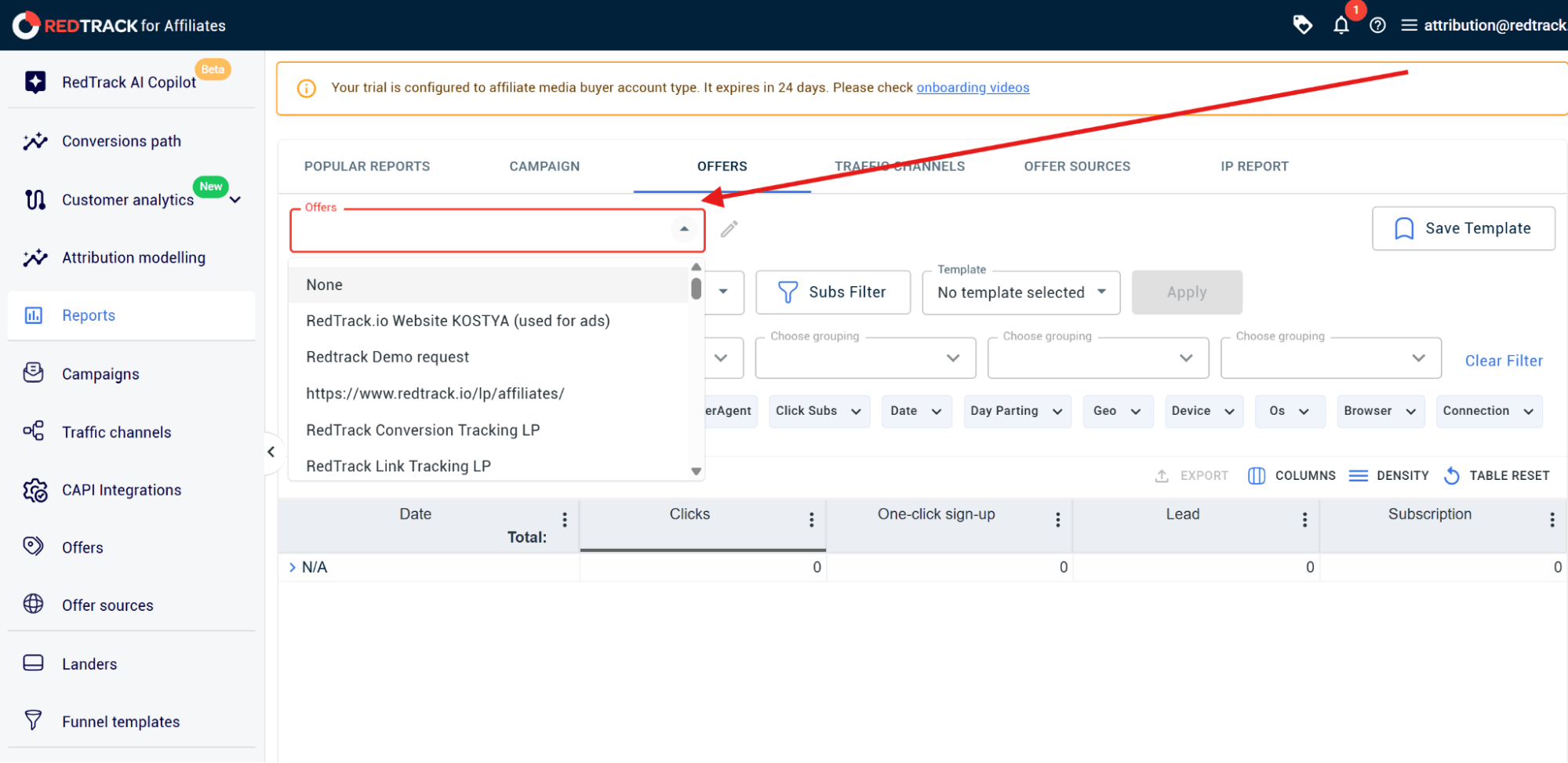
Step 1: Choose your report type
For multi-channel optimization it’s best to go with the Offer Sources report option, because it lets you build multi-channel reporting for one website.
To do that:
- Navigate to Reports within your RedTrack side navigation menu
- Select Offer Sources from the horizontal tab options
Step 2: Create your report
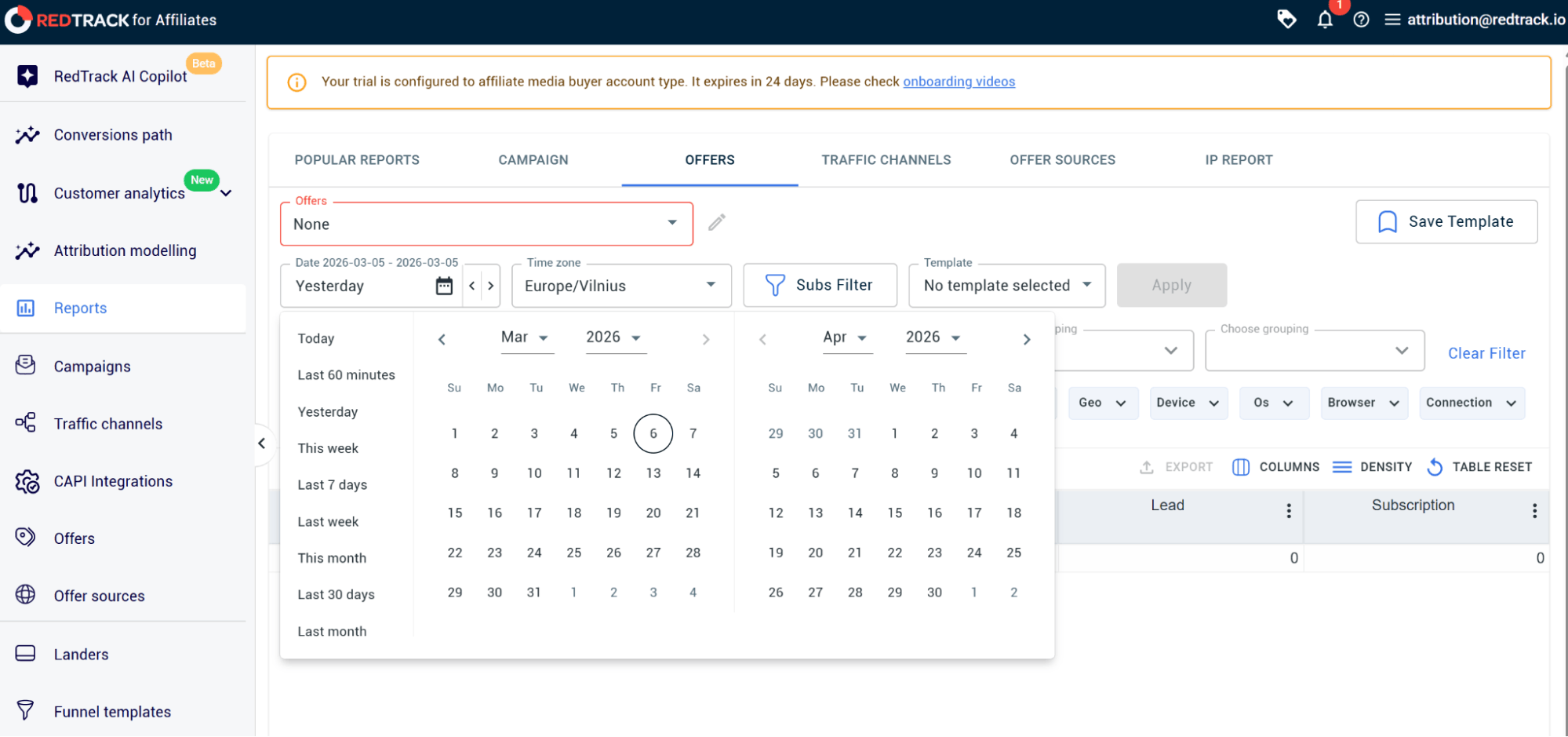
The next step is to create your report.
To do that:
- Choose your website (or source) from the Offer Source dropdown
Set the timeframe by selecting Dates you want the report to cover
Step 3: Choose your dimensions (groups)
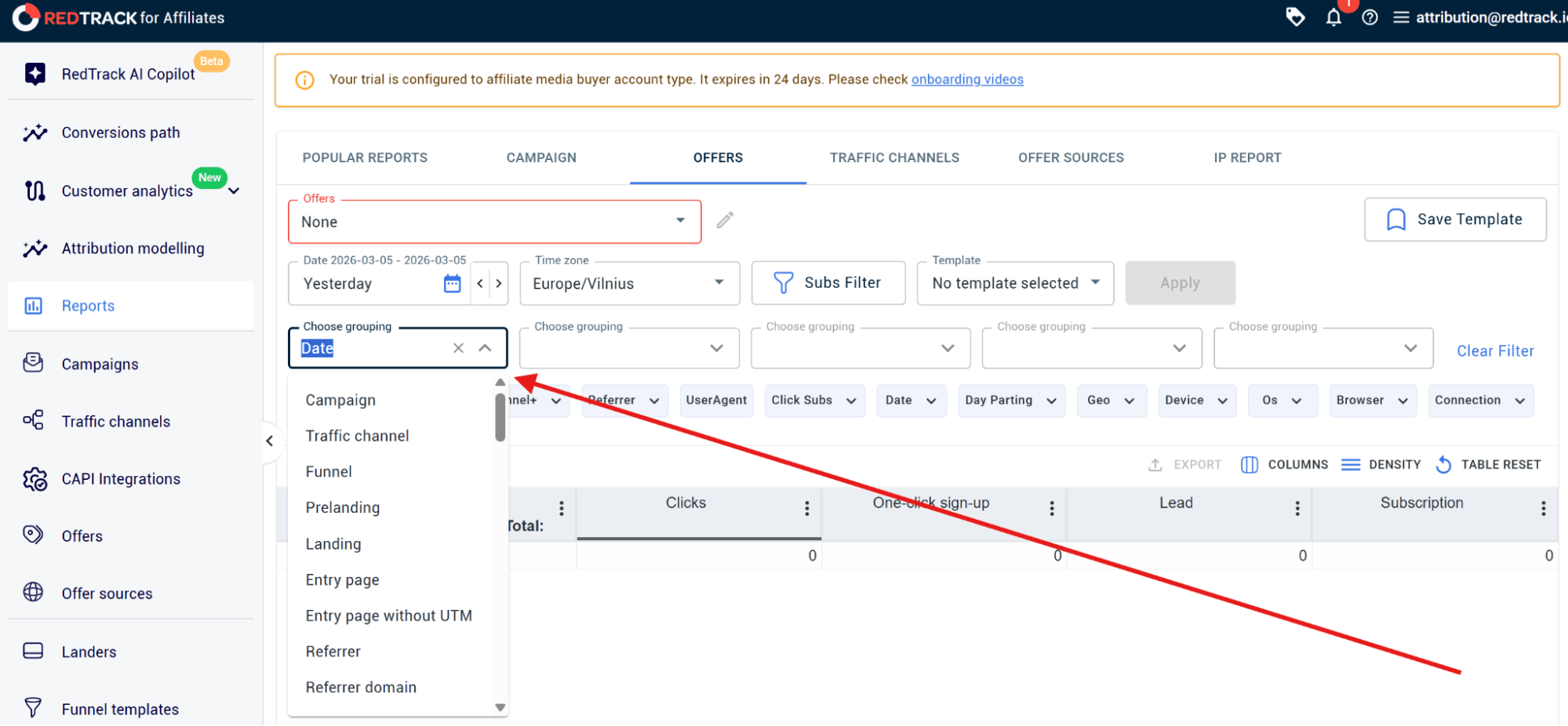
In RedTrack, you can choose upto five dimensions. Dimensions are basically the logic of how you group your data and how they are nested into each other.
Say you want to find out how different traffic channels behave.
Here’s what you’d do:
- In the first Choose Grouping dropdown, you would select Traffic Channels
- In the second Choose Grouping dropdown, select the specific campaign you want to analyze
- In the third Choose Grouping dropdown you might select Adgroups
- In the fourth, Choose Grouping dropdown, you might select a specific Ad
- Finally in the last Choose Grouping dropdown, you might select Geo to get reporting on location (which you can do by country or city)
Step 4: Run the report
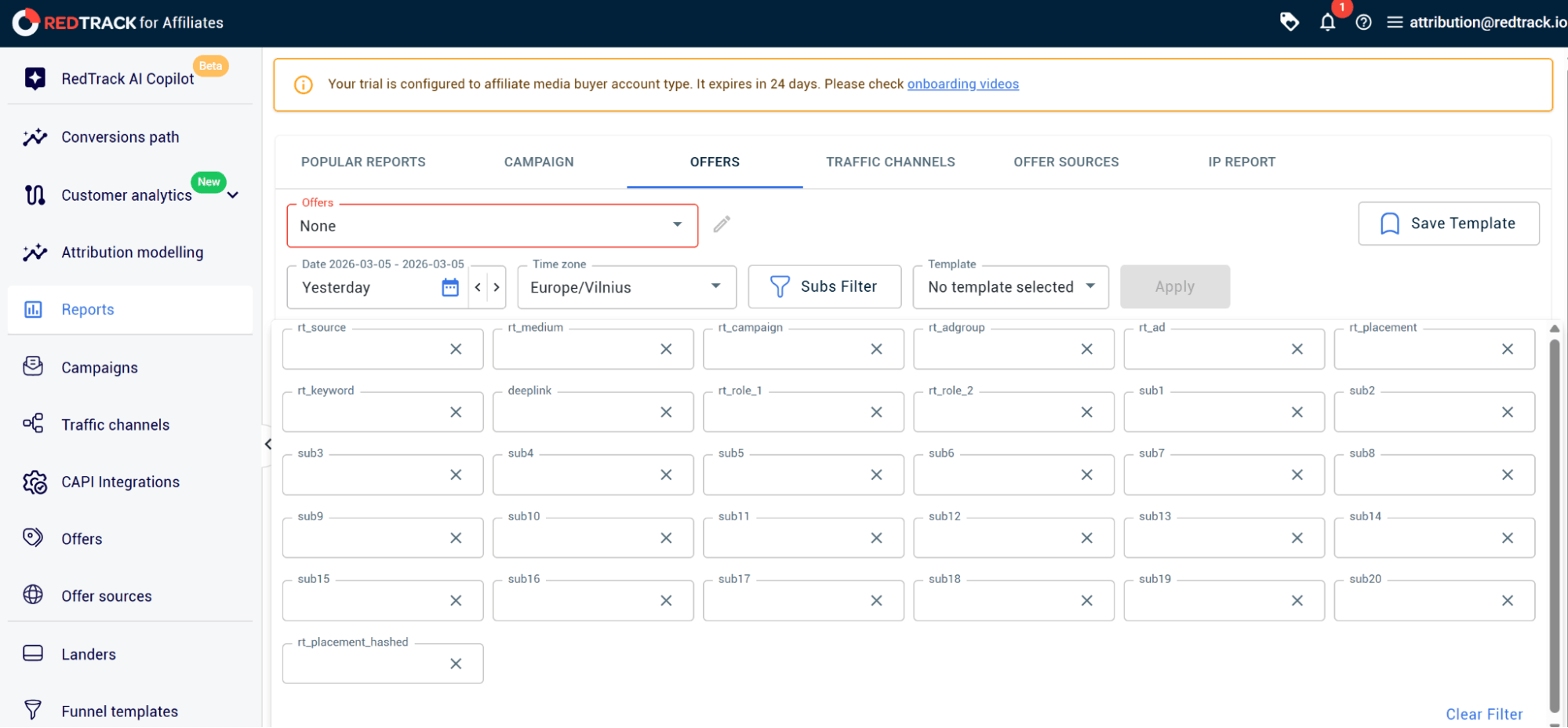
When you’ve made all your selections, hit the blue Apply button to run the report.
Once you’re real-time data pops up onto the screen you can do a couple of things:
- Use the Subs Filter button to filter the report (and then click update)
- Above the table of reporting data, you can also use the Columns button to select other data metrics to include in the report such as ROAS or CPA
- You can also drill down into lower dimension levels to analyze data yourself
Step 5: Set up notifications
Instead of generating reports regularly and monitoring them, you can set up notifications which alert you to when certain thresholds are reached.
To do that, you need to configure Auto-rules which monitor your ad campaigns performance 24/7 and trigger an alert or take a set automated action (if set) the moment your specific threshold or condition is met or achieved.
To set up notifications:
- Navigate to Automation and select Create Rule
- Define the scope of your rule by selecting Traffic Channel (might be Meta Ads) and a Rule Object (might be a specific ad)
- Set the trigger conditions (this can be anything you choose from total revenue reaching a specific dollar value in a specific time to ROAS dropping past a specific threshold
- Navigate to Notificaiton and choose how you want to be alerted (Email or Webhook)
- If you want to set an action for your rule, define the action you want RedTrack to make.
- Select the Frequency which is how often you want RedTrack to check the conditions (in minutes, hours, days or weeks)
- Give you rule a name and click Save
RedTrack: The Real-Time Multichannel Optimization Engine
What sets RedTrack apart from other multichannel ad tracking and automation platform providers is more than just the fact that it tracks data – it’s the speed and depth at which it does it.
You’re not just getting a steady stream of data, but it’s arriving in real-time, with clicks and conversions captured as they happen. And unlike most platforms, cost updates are as frequent as every five minutes, giving you access to the freshest performance data available in the industry right now.
But the real star feature of the tool is that it breaks down performance all the way down to the ad level. This is deeper than most other tools can manage, which usually stop at campaign or channel level. That leaves some pretty big blind spots.
With RedTrack, you can see exactly which ad, which placement, or which variation is doing the heavy lifting.
And since it hooks right up to ad platforms, RedTrack also gets its hands on revenue data. So now you’re not just looking at how much traffic you’re getting, or how many conversions you’re landing, you’ve got blended ROAS, blended CPA, real revenue and profit metrics right there in one unified RedTrack dashboard.
Heard enough? Sign up for RedTrack’s 14-day free trial or book a demo to get a complete walkthrugh of the platform to find out exactly how it’s going to make multi-channel paid ad tracking and optimization easier for you and your team.


