
Writing effective Google Ads copy is the difference between campaigns that quietly burn your budget and those that deliver consistent, profitable results.
While the average click-through rate across industries sits around 1.91%, top advertisers push 5% or higher by crafting ad text that speaks directly to user intent.
Great ad copy doesn’t just happen.
It’s built on understanding what people are searching for, the psychological triggers that drive action, and the algorithmic preferences that decide which ads win the auction.
The good news?
You don’t need decades of experience to get it right. With the right framework and steady testing, you can write ads that do more than attract clicks — they convert.
This guide walks you through a 7-step system for writing Google Ads that perform, with templates, testing tips, and advanced tactics to help you maximize ROI across eCom, lead gen, and SaaS campaigns.
What Makes Google Ads Copy “Perfect”
Perfect Google Ads copy isn’t about clever puns or flashy slogans. It’s about clarity, intent, and persuasion — all within a very tight character count.
In 2025, the ads that win are the ones that directly connect a user’s search with the exact solution you provide.
When someone types “best running shoes for marathons,” they’re signaling intent. They don’t want a generic sneaker. They’re looking for gear designed for endurance. Perfect ad copy meets them right there — calling out the pain point and showing why your offer is the right fit.
The best-performing ads also maintain a smooth journey from click to conversion.
That means your headline, description, and landing page all need to echo the same promise. This consistency not only builds trust with users but also boosts your Google Quality Score, which lowers costs and improves ad visibility.
Here’s the thing: high click-through rates mean nothing if those clicks don’t turn into revenue. Perfect copy doesn’t just chase volume; it attracts the right traffic — users who are ready to act. Think of it as filtering for quality at the ad level, so every dollar you spend has a higher chance of bringing back profit.
The bottom line? Perfect Google Ads copy balances relevance, persuasion, and performance. It’s less about sounding good and more about converting intent into action.
Key Performance Benchmarks for Perfect Google Ads Copy:
| Metric | Average Performance | Top Performer Benchmark |
| Click-Through Rate | 1.91% | 5%+ |
| Conversion Rate | 2.35% | 8%+ |
| Quality Score | 5-6 | 8-10 |
| Cost Per Click | Varies by industry | 20-30% below average |
Essential Google Ads Copy Components and Character Limits
To write ads that actually show up the way you want, you need to know Google’s character limits. Every piece of your ad has its own space rules, and the trick is squeezing the most impact out of every character.
Headlines are your first shot at grabbing attention. With responsive search ads, you can create up to 15 headlines (30 characters each). Google will rotate and test combinations, so make sure each headline is strong enough to stand on its own but also works well with the rest.
Descriptions give you room to persuade. You get up to 4 slots at 90 characters each — plenty of space to highlight benefits, add social proof, and push a clear call-to-action that nudges users to click.
Display URLs are auto-generated, but those customizable path fields are a chance to add context. Use them to reinforce relevance and set expectations before the click.
Ad extensions are where you can claim extra real estate. Sitelinks (25 characters each), callouts, and structured snippets let you showcase more value and make your ad look bigger, more useful, and harder to scroll past.
Complete Character Count Reference:
| Component | Character Limit | Maximum Count | Best Practice |
| Headlines | 30 characters | 15 headlines | Front-load key terms |
| Descriptions | 90 characters | 4 descriptions | Include CTA and benefits |
| Sitelinks | 25 characters | 8 sitelinks | Use action-oriented language |
| Callouts | 25 characters | 10 callouts | Highlight unique selling points |
| Path Fields | 15 characters | 2 paths | Add keyword relevance |
Responsive Search Ads vs. Expanded Text Ads
Since Google phased out expanded text ads back in June 2022, responsive search ads (RSAs) have taken center stage.
This wasn’t just a format swap — it completely changed how you write ads!
Instead of locking yourself into one static message, you’re now building flexible assets that Google’s AI can mix and match in real time.
With RSAs, you can provide up to 15 headlines and 4 descriptions. Google’s machine learning then tests combinations and serves the best-performing version for each search. The result? Smarter optimization that gets better over time without constant manual tweaking.
Success here comes down to variety and quality. The more diverse and compelling your headlines and descriptions, the more data Google has to work with. If you need brand consistency, you can always pin key headlines to specific positions, but leaving some room for the algorithm to test will usually boost results.
The biggest mindset shift? You’re no longer writing a single “perfect ad.” You’re writing modular building blocks that must stand strong on their own and still make sense when combined. It’s more complex, yes — but when done right, it’s far more effective.
The 7-Step Framework for Writing Perfect Google Ads Copy
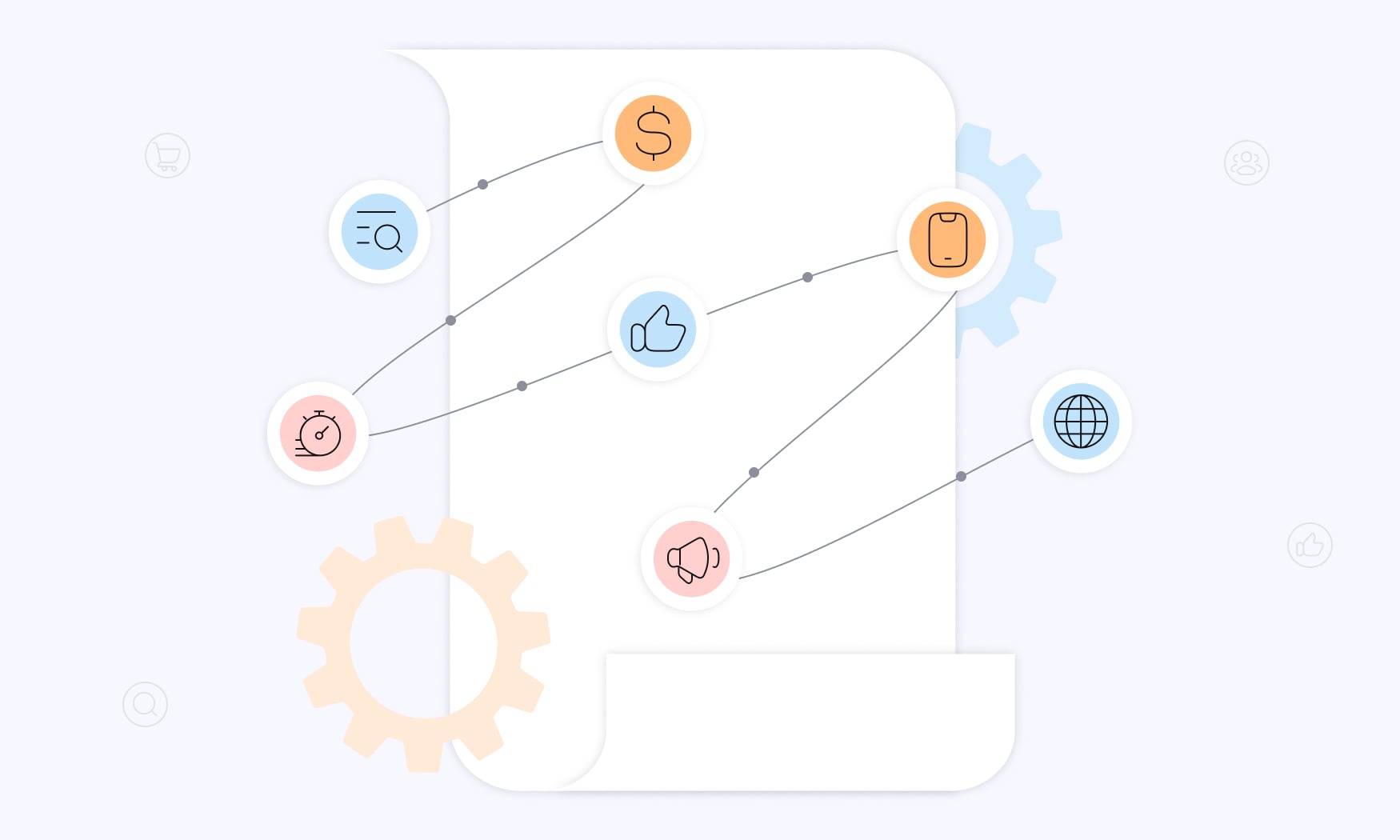
By following this 7-step framework, we’re confident writing Google Ads copy will be quite smooth process!
Step 1: Match Search Intent with Keyword Integration
Strong Google Ads start with matching your message to what users are actually searching for. It’s not just about dropping in keywords — it’s about speaking directly to intent so your ads show up as relevant search results that feel tailored to the user.
Work your top three performing keywords naturally into headlines and descriptions. Keep it human. Overstuffing only makes your copy sound robotic and hurts trust. For example, when someone types “emergency plumber near me,” they’re looking for fast help — not a lecture about your company history.
Dynamic Keyword Insertion ({KeyWord:Default}) can be powerful for increasing relevance, but only if you use it wisely. Always write strong default text so the ad still reads smoothly. This works especially well for product-focused campaigns where the search term directly matches what’s in your inventory.
Don’t forget the power of long-tail keywords. The person searching for “waterproof hiking boots for winter camping” has completely different needs than someone typing “casual walking shoes.” Your ad copy should acknowledge that difference and reflect the specific intent behind each search.
Step 2: Lead with Your Strongest Value Proposition
In Google search ads, headline 1 carries the most weight — it’s the part users see most often across different responsive ad combinations. That makes it the perfect spot to showcase your strongest benefit, not your company name or a generic claim.
Whenever possible, use numbers and concrete results. “Save 30% on Auto Insurance” instantly sets an expectation and typically outperforms vague promises like “Save Money on Auto Insurance.” Specifics give users confidence and often drive higher conversion rates.
This is also where you stand apart from competitors in the same search results. Think sharp, unique differentiators like “Only FDA-approved solution,” “24/7 live support,” or “Same-day delivery nationwide.” Users comparing multiple ads should see instantly why your offer deserves the click.
Finally, don’t just list features — speak directly to the problem your audience wants solved.
Headlines like “Stop Losing Sleep Over Tax Preparation” tap into real frustrations and make your solution feel more relevant, urgent, and worth acting on.
Step 3: Create Urgency Without False Scarcity
When writing ad copy, urgency can be one of your strongest motivators — but only if it’s real.
Fake scarcity not only hurts trust, it can also get you flagged for policy violations. Stick with genuine deadlines and actual constraints instead of pressure tactics that feel manufactured.
Be clear with time limits. “Sale ends December 31st, 2024” is specific and believable, while “Limited time offer” feels vague. Users are more likely to act when they know exactly how long they’ve got.
If stock is truly limited, say so: “Only 3 left in stock” or “Final 10 spots available” work because they reflect reality. What doesn’t work? Perpetual “one-day-only” sales that never actually end.
Seasonal hooks can also create urgency in a natural way. “2024 Tax Season Special” or “Back-to-School Pricing” tie your offer to real-life timelines customers already care about. This feels helpful rather than manipulative, making your ads more persuasive and more trustworthy.
Step 4: Write Benefit-Focused Descriptions
Strong search ads copy highlights what users gain, not just what your product is made of. Instead of saying “Memory foam mattress with cooling gel,” flip it to “Get 8 hours of uninterrupted sleep.” Benefits make people imagine results, and that’s what gets clicks.
A proven way to structure descriptions is the Problem–Agitation–Solution approach. Call out a pain point, remind users why it matters, and then present your product or service as the fix. Even within 90 characters, this framework works when you keep it tight.
Whenever you can, layer in social proof!
Phrases like “5-star rated by 10,000+ customers” or “Trusted by Fortune 500 companies” instantly build credibility. For services especially, trust signals can be the tipping point that drives action.
Always wrap up with a clear, specific CTA. “Start your free trial,” “Get instant quote,” or “Schedule consultation” work far better than vague options like “Learn more.” Tell people exactly what happens next, and you’ll guide them to convert with less friction.
Step 5: Optimize for Mobile Users
Most Google users are searching on their phones, which makes mobile-first thinking essential when writing ads. Space is limited, so front-load your most important message within the first 20 characters of your mobile ad headline to make sure it lands.
Keep sentences short and clean. Complex punctuation or long phrases don’t scan well on small screens, and mobile users skim fast. Every word should earn its place, delivering relevant copy that communicates value instantly.
Always preview your ads on mobile before launch. A headline that looks perfect on desktop can end up cut off or awkward on a phone. Small formatting issues can mean big drops in engagement.
Finally, lean into mobile-specific CTAs like “Call now,” “Get directions,” or “Download app.” These work because they tap into the way people naturally use their devices — and often drive quicker, more direct conversions.
Step 6: Ensure Ad-to-Landing Page Message Match
A key point in building effective Google Ads is making sure your message aligns perfectly from click to conversion. If the ad promises one thing but the landing page delivers something different, users lose trust — and you lose conversions.
Use the same headlines and offers in both places. When your ad says “50% Off Today,” your landing page should reinforce the exact same offer. This kind of consistency makes visitors feel confident they’re in the right place.
Keep the tone and style aligned as well. Urgency, voice, and level of formality should flow seamlessly between ad and page content. Even small mismatches can spike bounce rates.
Your call-to-action should also mirror the ad. If the ad says “Start Free Trial,” the landing page button should use the same wording. This consistency not only improves user experience but also signals relevance to Google, boosting quality score and helping reduce costs.
Step 7: Leverage Ad Extensions for Maximum Real Estate
Ad extensions are one of the easiest ways to make your ads stand out — they can boost visibility by up to 15% while giving users more reasons to click. Think of them as extra space to reinforce your value proposition.
Start with sitelinks. Add 4–6 that highlight product categories, service areas, or popular pages so users can jump straight to what interests them most.
Use callout extensions for quick selling points that don’t fit neatly into your main ad copy. Short phrases like “Free shipping,” “24/7 support,” or “Money-back guarantee” instantly reduce objections and show why you’re worth choosing.
Add structured snippets to showcase categories like service types, brands you carry, or destinations you serve. They help users quickly understand the breadth of your offering — especially valuable if you’ve got a wide range of products or services.
For local reach, don’t skip location extensions. Displaying your address, phone number, or distance from the searcher can drive foot traffic and make it easy for nearby users to take action.
Power Words and Emotional Triggers That Convert
The right words can make the difference between a casual impression and a conversion. Strong ad copy taps into human psychology, using carefully chosen language that builds trust, urgency, or exclusivity.
Authority words like certified, official, proven, and expert-recommended signal credibility. They reassure users that they can rely on your product or service.
Urgency triggers motivate people to act now. Phrases such as today only, while supplies last, or expires midnight work because they set clear, authentic time limits.
Exclusivity terms appeal to the desire for special treatment. Using members only, exclusive access, or VIP treatment makes your offer feel more valuable — especially for premium brands.
Guarantee language lowers risk and removes hesitation. Statements like 100% satisfaction guaranteed, risk-free trial, or money-back guarantee ease objections and often boost conversion rates.
High-Converting Power Words by Category:
| Category | Power Words | Usage Context |
| Authority | Certified, Official, Proven, Expert | Professional services, B2B |
| Urgency | Today, Limited, Expires, While supplies last | E-commerce, events |
| Exclusivity | Members only, VIP, Exclusive, Private | Premium products, memberships |
| Guarantee | Risk-free, Guaranteed, Protected, Secure | High-ticket items, new brands |
| Benefit | Save, Gain, Increase, Improve, Boost | Results-focused campaigns |
Testing and Optimizing Your Google Ads Copy
So you wrote it, but now what?
Without testing, there’s no way to verify that your search ads copy is actually good. Therefore, here’s how to properly test and optimize your google ads copy.
Setting Up Proper A/B Tests
Good testing isn’t guesswork — it’s structured and disciplined.
To get meaningful insights, change only one element at a time. Compare headlines against each other, then test descriptions, then CTAs. That way, you know exactly which change influenced performance.
Let your tests run long enough to matter. Aim for at least two weeks or 100 conversions before drawing conclusions. Anything shorter risks misleading results because daily fluctuations can skew the data.
Google’s Ad Strength score is a helpful starting point, but it’s not the ultimate verdict. Use it as guidance on variety and best practices, then rely on actual performance data to decide what really works.
Keep a simple log of your tests. Track which variations win, by how much, and what you learned. Over time, this record becomes a playbook you can reuse — revealing patterns and tactics that consistently lift results across campaigns.
Key Metrics to Track Beyond CTR
Click-through rate tells you if your ad grabs attention, but it doesn’t tell the whole story. What really matters is what happens after the click. A 10% CTR is useless if those visitors never convert into sales, leads, or sign-ups.
Conversion rate is the clearest measure of ROI. It shows how effectively your ads turn interest into action.
Cost per conversion reveals how efficiently you’re spending. This metric makes it easy to see which ad variations are worth scaling and which ones drain your budget.
Quality Score plays a big role in both ad rank and CPC. When your copy matches user intent and your landing page, you’ll pay less per click and often win better placements.
Finally, impression share shows how often your ads show up when they could. If it’s low, stronger, more relevant copy could help you capture more search volume in your market.Common Google Ads Copy Mistakes That Kill Performance
Writing Mistakes to Avoid
Generic headlines like “quality service” or “best prices” don’t cut it. They waste valuable space and blur you into every other ad on the page. Instead, give users a reason to click you over everyone else — think specific benefits, not empty buzzwords.
Keyword stuffing? Big mistake.
Nothing kills trust faster than robotic copy crammed with the same phrase over and over. Work your keywords in naturally so your ads read like they were written for people, not algorithms.
Overpromising is another trap. If your ad says one thing and your landing page doesn’t deliver, users bounce — and so does your credibility. Every claim in your copy should be something your site backs up instantly.
And please — ditch the ALL CAPS and overdone punctuation! Not only does it look spammy, but it’s also a quick way to get flagged by Google’s policies. Keep it clean, professional, and easy to read.
Strategic Mistakes That Waste Budget
Here’s where campaigns quietly bleed money. Running high-ticket offers without mentioning price means you’ll get a ton of clicks from people who can’t afford what you’re selling. Adding “Starting at $500” or “From $2,000” helps pre-qualify traffic and protect your spend.
Copy-pasting the same ad across all match types? Lazy and costly. A broad match search has very different intent than exact match. Your messaging needs to adapt if you want clicks that actually convert.
Skipping negative keywords is like paying for junk traffic on purpose. Regularly comb through search terms and block irrelevant ones before they drain your budget.
And the biggest mistake of all? Obsessing over clicks instead of conversions. You don’t want traffic for traffic’s sake — you want the right clicks from people ready to take action. That’s how winning campaigns scale profitably.
Using AI Tools to Enhance Your Google Ads Copy
Tools like an ai image editor can also play a role in creating visually appealing ad assets.
Google’s own AI inside the Google Ads interface is a solid starting point. It scans your landing page and existing copy to suggest headlines and descriptions. Often, it spots ways to make your ads more relevant and gives you fresh ideas to expand your asset pool.
Tools like ChatGPT take it further. They’re great for pumping out multiple headline and description variations fast — but only if you give clear prompts. Instead of asking for “ad ideas,” try: “Write 10 Google Ads headlines for [product/service], targeting [audience], with [unique benefit], each under 30 characters.” That specificity makes all the difference.
AI can also help you peek at the competition. Ask it to analyze competitor ads, and it’ll highlight gaps in positioning or messaging. That’s gold if you’re in a crowded market and need a sharper way to stand out.
One caveat: never copy-paste AI output as-is. Always refine for brand voice, accuracy, and compliance. AI doesn’t know the finer details of your business or the rules your industry lives by. Treat it as your creative assistant, not your final editor.
Advanced Tactics for Perfect Google Ads Copy
Covered the basics already?
Here are 2 advanced tactics for writing literally perfect Google search ads copy!
Dynamic Customization Features
Dynamic tools let you scale personalization without writing hundreds of ads manually.
Location insertion {LOCATION} adds instant local relevance. “Pizza Delivery in {LOCATION}” becomes “Pizza Delivery in Chicago” — making your ads feel more personal while saving you from creating endless city-specific versions.
Countdown timers {COUNTDOWN} build real urgency for promotions or events. Instead of a vague “Sale ends soon,” your ad can say, “Sale ends in 3 hours” — updating in real time as the clock ticks down.
IF functions adapt messaging by device. For example: {IF(device=mobile):Call Now} {IF(device=desktop):Request Quote}. That way, your CTAs match how users actually engage, whether they’re browsing on the go or sitting at a desk.
Custom parameters give you advanced control for tracking and personalization. From campaign-specific UTM codes to attribution setups for complex journeys, they let you go far beyond Google’s default options.
Audience-Specific Messaging
The more your ads speak to the right person at the right time, the better they perform.
Create separate ad groups for new vs. returning customers. Use customer match lists so new users see introductory offers, while loyal customers see rewards or upgrades.
Leverage demographic targeting to adjust tone and benefits. A retirement planning service might highlight “secure your future” to younger audiences but “maximize your retirement income” for older ones.
Match copy to the buying funnel. Awareness ads should educate, consideration ads should compare, and bottom-funnel ads should push for conversion by removing final objections.
Don’t skip remarketing lists for search ads (RLSA). People who’ve already visited your site are warmer prospects — which means your copy can be more direct, more sales-focused, and more likely to convert.
Measuring Success and Continuous Improvement
Creating strong Google Ads copy is only half the battle — measuring how it performs and refining it over time is where campaigns truly win. Without proper tracking in place, even the best-written ads risk becoming expensive guesses.
Start by setting up conversion tracking for every action that matters: sales, leads, phone calls, app downloads, and beyond.
When you track only clicks or impressions, you miss the bigger picture. What really counts is whether those clicks turn into customers.
Platforms like RedTrack make this process seamless by connecting conversions directly to the right ads and channels, so you always know which messages are delivering real ROI.
While Google Analytics can help with post-click behavior — like time on site, bounce rates, and pages viewed — it often falls short in giving advertisers the full story.
That’s why media buyers, agencies, and eCom brands lean on RedTrack.
It provides granular, unsampled data and accurate attribution across all channels, ensuring you don’t just see traffic volume but also traffic quality.
Build a habit of creating monthly performance reports. Look at trends in CTR, conversion rates, and cost per acquisition. Over time, these reports reveal seasonal shifts, messaging patterns, and areas for optimization.
With RedTrack, you can automate much of this reporting, drilling down into the data you care about most — whether that’s keyword-level conversions or campaign-level ROI.
Testing should never be a one-off project. Create a continuous testing calendar that includes new headlines, descriptions, and ad extensions. Small, structured experiments compound into meaningful performance gains over time.
Pair this with industry benchmarks to keep your expectations grounded. Google Ads benchmarking reports show where you stand against competitors, but platforms like RedTrack let you go deeper — comparing not just clicks, but actual profit-driving metrics.
Perfect Google Ads copy doesn’t happen by accident! It’s the balance of technical precision (like character limits and keyword intent) and psychological insight (like urgency, trust, and relevance). Treat every ad as a test, every result as feedback, and every campaign as a chance to get better.
The real key? See ad copy as an ongoing optimization process, not a one-time task. With the right tools — especially a partner like RedTrack that ensures your data is accurate and actionable — you’ll build a cycle of improvement that turns good ads into consistently great performers.
When you combine smart copywriting with precise tracking, your ads won’t just earn clicks. They’ll drive conversions, revenue, and sustainable growth.
Ready to see which ad copy actually drives ROI? Start tracking with RedTrack today and turn your Google Ads into a true profit engine.


