
In 2024, Meta recorded a revenue of $162 billion. According to Statista, the majority of that revenue came from its advertising operations across its family of apps, including Facebook, Instagram, Messenger, and WhatsApp.
Despite this head-spinning figure, many businesses are struggling to get conversions from their Facebook ads. Why is that?
In most cases, non-converting ads are the result of three main reasons: targeting misalignment, tracking infrastructure problems, or poor user experience optimization. But guess what – all three a fixable.
In this guide, we reveal the top 10 conversion killers of Facebook ads, and we tell you exactly what you need to do to solve them so your ad campaigns start performing the way you want them to.
1. Meta Pixel tracking issues
First on our list is Meta Pixel tracking. This can be the silent killer of the Facebook ads that refuse to convert.
For those of you who aren’t familiar with the term, Meta Pixel tracking is a piece of JavaScript code that websites place on their pages to measure, optimize, and build audiences for their Meta ad campaigns. What this code does is it tracks users’ actions on a site. So things like page views, purchases or form submissions. This data is then used to help businesses understand the effectiveness of their ads, so they know who to retarget and how to improve their ad campaigns.
So how can this be a problem? Well, in most cases, you probably won’t even realize anything is wrong until your dashboards show total mismatches. You’ll see high click-through rates, plenty of traffic, but you’ll have zero recorded conversions.
Because this script is incredibly sensitive, one missing base code, a misfired event, an outdated configuration, or the ripple effects of iOS 14.5+ privacy changes can break it instantly. When the pixel gets misaligned, Meta loses the feedback loop it needs to understand who converted and why. And when Meta doesn’t receive that data, it can’t optimize toward buyers. So your ads keep going, but they’re not targeting the right audience at all.
How to fix Meta Pixel tracking
To fix Meta Pixel tracking, first, you need to get the basics back on track. This means:
- Verify installation
- Confirming events fire correctly
- Validate the data inside Events Manager.
Then, implement the Conversions API. This is the server-side method Meta now relies on to keep attribution working even with browser limitations. CAPI ends up being the “backup generator,” feeding Meta the conversion data when Meta Pixel drops off.
Finally, there is another thing you can do that beats all of the above, and that is get RedTrack.
Redtrack is a performance marketing analytics platform that instantly fixes Meta Pixel tracking issues by replacing it altogether. When you have RedTrack, you no longer depend on browser scripts because the software captures every click and conversion independently, using server-to-server tracking.
So even if the pixel breaks, RedTrack still delivers accurate, unsampled data directly to Meta through CAPI integrations. What you end up with is:
- Cleaner attribution
- Higher Event Match Quality
- Smarter algorithm optimization.
In other words: Meta gets the data it needs, your ad campaign performs the way it should, and you get reliable data you can depend on!
2. Landing page optimization failures
Landing page issues are not just a Facebook ad conversion problem. A badly done, unoptimized landing page will ruin conversions no matter where or how your visitors land on it – full stop.
There is a list of essential landing page elements that must be included to make sure a landing page converts. These include:
- A strategic call to action placement above the fold
- Sreamlined form optimization with minimal required fields
- Trust and social proof signals, like testimonials or security badges.
To sum it up: These are the basic foundational elements, and when you get all of them right, they work together to reduce friction and encourage conversion.
How to fix and optimize landing pages
Making sure your ad and landing page headline copy (and messaging) align and match up perfectly is critical for maintaining user intent. If your Facebook ad promises a “Free Marketing Strategy Guide” but your landing page headline reads “Download Our Complete Business Toolkit,” you’ve created confusion for the visitor and killed the conversion. So this is the first fix you need to make.
Next, make sure you’ve also covered the 101 of landing page best practices, which says:
- The landing page must load within 3 seconds
- It needs to be mobile-compatible
- It has to present a crystal-clear value proposition
If any of those are not up to scratch, your ad might work in getting the visitor to the landing page, but that’s where their journey will end.
3. Wrong audience targeting
Sending your ads to anyone and everyone isn’t a particularly effective strategy. The broader your targeted audience, the less relevant your ad will be, which means your conversion rates will be low.
However, if you take a look at the advice in Meta’s Business Help Centre resources, you’ll find that they:
- Recommend using broad targeting for new campaigns to help the algorithm find the best people and audience for your product and service – ideally 2 million+.
- Suggest using at least 100 people in the source audience from existing data when creating a Lookalike Audience.
How to get audience targeting right
To get your ad in front of the right people on Facebook, you actually need to know your Ideal Cusotmer Profile (ICP). So you basically need to develop customer personas based on actual purchase data yoy can get from Facebook Analytics (or perhaps even other channels). This will save you from making inaccurate assumptions.
Here’s how to go about getting your audience targeting right:
- Analyze existing customers – Look at demographics, interests, and behaviors using Facebook Insights to identify key patterns among your highest-value buyers.
- Develop lookalike audiences – Take your top 1% of customers by lifetime value and treat them as your source audience to create a persona group of high-potential prospects.
- Apply interest layering & demographic exclusion – Refine your audience by combining multiple targeting criteria. For example, take people interested in “small business marketing” as well as “social media advertising,” while excluding those under age 25 if your data shows this demographic rarely converts.
In a nutshell: When you develop custom audiences from your customer database, you’ll be able to send out more impactful Facebook ad campaigns that have more conversion potential because your audience targeting is more precise.
4. Campaign objective misalignment
Facebook Ads not converting? Maybe you’ve got your campaign objectives all mixed up.
Even though it may look like a simple dropdown menu inside your Ads Manager, choosing the wrong option can completely mess up your entire Facebook Ad strategy.
That’s because each objective serves a different purpose and plays an active role in teaching Meta a completely different behavior.
So while Traffic campaigns train the algorithm to find “clickers,” Engagement campaigns go after users who like, share, and comment (which are great for vanity metrics but terrible for revenue).
Now imagine an e-commerce brand accidentally selects these objectives for their sales-focused funnel. The algorithm won’t deliver what the advertiser expects – it simply does what it was told by the objective you’ve chosen: it optimizes for clicks or likes, not purchases.
How to make sure you select the right ad campaign objectives
Meta Ads give you six self-explanatory objectives to choose from:
- Sales: Use this for conversions, catalogue sales, and messages
- Leads: Use this for instant forms, messages, calls, and sign-ups
- Engagement: Use this for messages, video views, and post engagement
- Traffic: Use this for link clicks and landing page views
- Awareness: Use this for brand awareness and video views
- App promotion: Use this for app installs and app events
If you want your Facebook ads to work, you must match your objective to your true business goal. For example:
- Use Traffic only when you want visitors who read, explore, or consume content.
- Use Engagement only when your goal is social proof.
- Use Sales only when you want actual sales or any measurable outcome. (Even if the cost per result feels higher in the beginning, Meta needs conversion signals to learn who your real buyers are if it’s to work properly.)
This is where RedTrack comes in to take everything to the next level. Because it works in the background to send clean, server-side conversion data back to Meta, RedTrack becomes the “truth teller” that drives the algorithm with accurate purchase signals.
5. Insufficient budgets and bidding issues
If you’ve been told budget doesn’t matter, that’s a lie. With Facebook Ads, budgets under $20 per day usually prevent campaigns from exiting Facebook’s learning phase.
This means your ads stay trapped in a constant optimization limbo, where the algorithm forever tries, but never gathers enough data to optimize ad delivery for your target audience.
Low budgets also create auction competition issues. This is where your Facebook ads rarely win placements against competitors who play the game with larger budgets.
Which means you have:
- Reduced your reach to quality audiences.
- Forced Facebook to show your ads to lower-intent users at less optimal times.
How to set the right budget and fix bidding issues
Minimum budget requirements vary by campaign objective, but they can also vary by location. Meta Ads does share a list of Best Practices for Minimum Budgets on their Business Help Centre.
The other thing you need to keep in mind is that realistic industry benchmarks for ad spend differ from sector to sector. While these benchmarks shouldn’t be used as gospel, they can help guide you to set realistic expectations around ad spend.
Another thing you shouldn’t forget is the bidding strategy. This can significantly impact your campaign’s performance and conversion rates. If you’re new to the Facebook advertising game, it’s a good idea to start with automatic bidding so Facebook’s algorithm can land on optimal bid amounts. However, if you’re a seasoned Meta Ads user and experienced advertiser who has a bunch of clean data to work with, have a go at experimenting with manual bidding for more control over ad costs.
6. Learning period and timing issues
Facebook needs approximately 50 optimization events to take place within 7 days to exit the learning phase, before it begins effective campaign optimization.
Throughout this period, the algorithm experiments with a mix of different audience segments and placements to spot the most responsive users for your ads.
Editing campaigns during the learning period resets optimization progress and hurts conversion rates by forcing the algorithm to restart its data collection process all over again, every single time. So avoid making changes to targeting, budgets, or ad creative during the first week unless performance is abysmally disastrous.
How to respect learning period timelines and
In terms of learning periods and optimization timelines, these vary based on campaign objectives. For example:
- Sales & Leads optimization usually takes longer, where the learning period is completed the moment you get 50 conversions within 7 days
- Engagement also aims to have a 50-event threshold within 7 days (but this usually happens faster than Sales and Leads) for campaigns to exit the learning period
- Traffic optimization typically takes much less time and will normally take 3-7 days
- Conversion optimization needs 7-14 days (due to the complexity of optimizing for post-click actions)
- Awareness campaigns optimize and exit the learning period the fastest because they are usually high-volume and happen quickly (think video views)
- App promotion campaign learning period depends on the volume and frequency of app installs or specific in-app events
So if you rush to make changes before the algorithm lands, chances are it will just backfire and extend the learning period (by starting all over again!)
Some signs that the learning phase is nearing completion include:
- Increased Click-Through Rate (CTR) over time
- Decreasing Cost-per-Click (CPC) as optimization improves
- Improved relevance scores in Ads Manager.
When the above three things happen, you can be sure the algorithm is successfully identifying your ideal audience segments.
And for the ad campaigns that don’t seem like they’re going anywhere positive, pause them, but only after giving them 14 days to prove their worth. Also, if you end up with a scenario where an ad campaign spends more than 3x your target cost per conversion without generating results, pausing it will be the best way to go if you want to preserve and redirect your budget to better-performing ad campaigns.
7. Ad fatigue and frequency problems
More isn’t always better. Sending the same ad out too often can do more damage than good to your balance sheet. Ad fatigue could be another core reason why your Facebook Ads’ not converting.
Here’s the deal: An ad frequency of 2 per week is the ideal measure for conversions. Anything above that can push the wrong buttons, making your audience irritated rather than engaged. What you see happen then is called audience saturation. This occurs when identical users see your ads multiple times over 7-14 days without taking action.
How to avoid ad fatigue
Check and monitor your ad frequency in Ads Manager frequently. Also, make sure you set up automated rules for pausing ads when frequency exceeds optimal thresholds.
The general rule is: frequent ads convert poorly and drive up your costs as Meta charges more to deliver overexposed creative to saturated audiences.
Another thing yoy can do is turn to some useful refresh strategies. This includes:
- Rotating ad creatives every 5-7 days
- Expanding audiences monthly to reach fresh users
- Testing new ad formats to maintain audience interest
Being proactive and clever in your approach prevents your ad campaign’s performance from dropping and gives you a better chance of landing some good results, thanks to small changes.
Also, don’t forget about seasonal fatigue. During holiday periods, ad campaigns move to a whole other level (it’s a bit like ads on steroids). Users are being bombarded with ads, and it can get quite aggressive. The sheer volume of ad campaigns right across all the platforms can get so overwhelming that it backfires.
So during these periods, try to refresh your creativity more often and moderate your audience earlier to maintain performance in a much more competitive environment.
8. Attribution and cross-device tracking gaps
The moment iOS 14.5 rolled out, attribution became a serious problem. Suddenly, overnight, Meta lost visibility into a significant part of the customer journey. This was especially true for users who opted out of tracking.
But how did this change lead to Facebook ads not converting? Basically, campaigns looked like they were underperforming even though they were bringing in steady conversions. The scenario was simple: purchases that happen on another device, later in the day (outside Meta’s shortened attribution window) slipped through the cracks entirely.
This created an absolute nightmare for advertisers. Loads of manual data sorting, editing, and comparing, and spreadsheet cell sorting, just to try and get accurate data from Meta that they can actually use as conversion signals to optimize effectively.
How to fix attribution and cross-device tracking
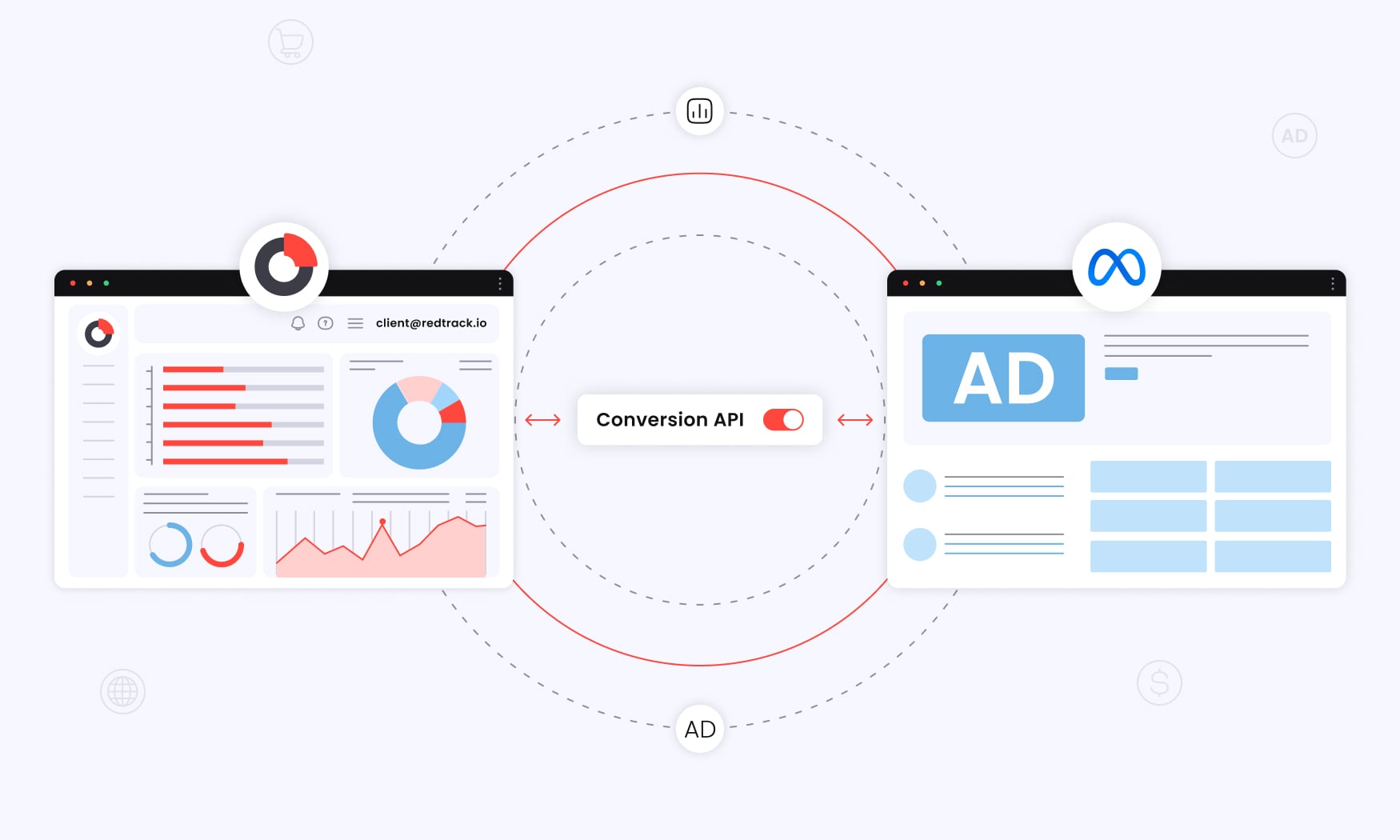
The easiest fix for attribution and cross-device tracking is first-party data collection. While email capture, surveys, and CRM syncing help reconnect the dots of the journey, they still rely on the advertiser to sort out and reconcile the data later. The method will work, but it’ll be slow, manual, and more often than not incomplete.
RedTrack is a tool that manages the attribution problem from a different angle. Instead of finding missing attribution, it rebuilds attribution using server-side, channel-agnostic data. Every click, visit, and conversion is captured directly in the tool, and there are no browsers or pixel limitations to get in the way of good, clean data. RedTrack then takes this verified conversion data and feeds it back into Meta via CAPI, restoring the balance that the algorithm depends on to let you run ads that work.
9. Inaccurate event prioritization in Meta’s Aggregated Event Measurement (AEM)
Lack of attribution data wasn’t the only drama caused by the launch of iOS 14.5. Meta’s Aggregated Event Measurement (AEM) is another. Initially, it was introduced as a safeguard post iOS 14.5, but it ended up becoming one of the most common (and least understood) reasons campaigns fail to convert.
What AEM does is it limits which events Meta can track for opted-out users, but also in which order they’re allowed to go in. So your event priority list then isn’t just administrative; it directly controls what data Meta receives and what it’s forced to ignore.
The bottom line is this: When the wrong events are prioritized (for example, viewing content or adding to cart above purchases), Meta ends up optimizing toward signals that don’t reflect buying intent. The result may seem subtle, but it’s seriously harmful. Even though ads may generate interest, they’ll struggle to convert because the algorithm is learning from the wrong actions.
How to manage inaccurate event prioritization
The first move for advertisers is to try and fix things by rearranging AEM events manually. This can be done by pushing Purchase to the top and filtering out unnecessary events.
Even though it’s a logical first, it only works if your pixel or CAPI setup is clean and events are released in the correct sequence. But if not, even a well-prioritized AEM list won’t restore optimization fully.
The more promising fix is RedTrack. Even though RedTrack can’t modify AEM itself, it can do something even better. It can bypass the AEM altogether. RedTrack literally tracks everything server-to-server. All your purchase and key event data is collected and passed to Meta accurately and consistently. That means the events you do prioritize in AEM arrive reliably, giving the algorithm the cleanest data possible to work with.
10. Delayed or batched conversion API (CAPI) events corrupting optimization data
Conversion API (CAPI) was designed to strengthen tracking. However, if events are delayed or batched, it actually creates a new lot of problems for optimization. Here’s the thing: Meta’s algorithm doesn’t just need conversion data – it needs that data in the right order and at the right time.
When CAPI events arrive late (minutes or hours), or when multiple events are grouped into one batch, Meta can no longer understand which user actions happened first, or whether they happened at all during the delivery window.
To make things worse, this sequencing issue then creates a domino effect. All of a sudden, campaigns may look like they’re underperforming, not because conversions aren’t happening, but because Meta receives the signals too late to use them for real-time learning. In some extreme cases, delayed CAPI events can even push campaigns back into the learning phase, making performance fluctuate without any clear explanation.
How to fix delayed or batched CAPI events
Now the first fix most advertisers turn to when thei CAPI events get botched, is reviewing their server setup, checking queue processing times, or switching CAPI connectors. Even though these steps will help, most don’t realize where the issue actually stems from, which is the backend – not inside Ads Manager.
A better fix would be RedTrack. RedTrack is a tool that will prevent this problem by sending conversion events directly and immediately through stable server-to-server integrations. Each event is dispatched in the proper sequence. There’s no batching, no delays, and no duplicates. And this means Meta receives clean, timely signals that its optimization model can use.
With RedTrack you’ll never have Facebook Ads not converting
If you look at all the most common reasons why FaceBook Ads fail, you see a pattern. Most issues don’t come from the ads themselves. They come from the data that Meta uses. If Meta can’t see the full customer journey (as it took place), or it receives incomplete events, or perhaps learns from the wrong signals, even rock-solid campaigns will struggle to perform.
This is where RedTrack comes in to shift things arounda and make everything better. Instead of relying on fragile browser-based pixels or scattered analytics tools, RedTrack rebuilds the data foundation your campaigns depend on. So absolutely every click, visit, and conversion is captured server-side, stored accurately, and passed back to Meta in real time.
What happens then is this: Meta receives clean data and consistent optimization signals that reflect what’s really happening in your funnel. So, the algorithm finally learns from the right actions. It identifies high-intent users faster, exits the learning phase sooner, and adjusts delivery toward the audiences most likely to convert. RedTrack also gives you a unified view of attribution across channels, so diagnosing issues will not only be a piecde of cake, but it will also be much more precise.
RedTrack doesn’t just help you fix Facebook Ad conversion dramas, it actually prevents them from happening in the first place.
Want attribution data that’s the real deal? Want more predictable performance? Sign up for RedTRack and avoid the blindspots that only lead to one placde: wasted ad dollars.


